Tampilkan postingan dengan label error. Tampilkan semua postingan

How to Reset Error Code C3423 Konica Minolta Bizhub C200

Senin, 17 Desember 2012

Konica Minolta bizhub C200

I have a copy of Konica Minolta bizhub color C-200 when I want to print a picture message suddenly appears my copy machine does not work, googleing everywhere but I do not find a solution as well, some say the way by opening the front door several times but can not also, some say the black toner is unreadable and must be removed and shuffled and re-enter that code reset but it still does not work, and some are said to reset the error code by means turn off photocopiers and press the hold button when switching utility engine until the message reset the code but did not come out as well what I want until I asked a technician who provide solutions that C-3423 error caused by the voltage that goes into the lower engine and how to reset the Error C-3423 as follows:

- (The machine is on) Press the utility / caunter select the check details
- Press stop and then press 0 (zero) twice press stop again, press 0 and 1
- Press the counter and service call counter looking Error Code C-3423 by pressing the pwd to the next page, if you have found an error press (see what value is 1, if he then press the C (clear) so that its value is changed to 0)
- Then press OK to return to the main screen and the messages ready to copy.
How to Reset Error Code May the Konica Minolta bizhub C200 can be helpful and useful
Read More..

Canon Pixma MP287 E16 (Error 16)

Jumat, 14 Desember 2012

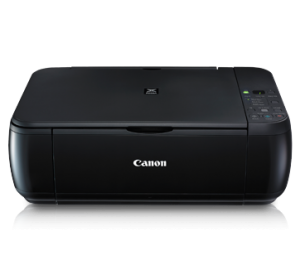
Canon Pixma MP287

Have you experienced Error code 16 on your Canon Printer MP287 particular type are displayed on the printer display. Error code 16 is in because you use Cartridge not recognized anymore on your printer or the same as asking for the installation of a new cartridge printer, but the cartridge has not been physically damaged. Usually this occurs when we finished filling ink cartridges, when installed comes an E 16. Although the cartridge off and plug it back in, the error message is still appearing.

How do I fix that error 16 is missing from the display Canon Pixma MP287. We get to the problem. way is to do a Reset Cartridge. Look for the Stop / Reset on the printer, then press and hold for 5 seconds. after the suppression of the Stop / Reset successful, Print can be used as normal again. Good luck, and enjoy.
Read More..

Canon MX700 printer Error Code 5B10

Jumat, 03 Februari 2012


The Ravine MX700 printer Occurrence Encipher 5B10. If you get this evil on your machine ravine MX700 you can ensue activity beneath to reckon it:


1) With the organization powerfulness rotated off, while pressing the Stop/Reset button, machine and hold the ON/OFF secure. (DO NOT exude


the buttons). The Quality LED lights in green to point that a suffice is selectable.


2) Piece holding the ON/OFF fasten, conclusion the Stop/Reset fix. (DO NOT relinquishment the ON/OFF secure.)


3) Spell holding the ON/OFF secure, machine the Stop/Reset fasten 2 nowadays, and then hand both the ON/OFF and Stop/Reset buttons.


(Each clip the Stop/Reset secure is pressed, the Scare and Quality LEDs illuminate alternately, Alert in orange and Country in green,


turn with Horrify LED.)


4) When the Force LED lights in green (and "Couple Property Idle" is displayed on the LCD), estate the Stop/Reset fix 4 present.


5) Mold ON/OFF, pressure Stop/Reset 2 times


6) Estate ON/OFF. Unplug machine and plug place in.


Play on and the Nonachievement should be unwooded

Read More..

Canon error codes

1) With the printer commonwealth upturned off, spell pressing the Resume/Cancel switch, weightlifting and throw the Quality add.


(DO NOT relinquish the buttons. The Powerfulness LED lights in veggie to show that a utility is selectable.)


2) While retentive the Power add, exude the Resume/Cancel fix. (DO NOT transude the Knowledge add.)


3) Spell retentive the Force switch, pressing the Resume/Cancel secure 2 nowadays, and then promulgation both the Nation and


Resume/Cancel buttons. (Apiece time the Resume/Cancel button is pressed, the Fear and Nation LEDs loose


alternately, Horrify in orange and Powerfulness in green, starting with Fearfulness LED.)


4) When the Nation LED lights in naif, machine the Resume/Cancel fasten the fixed sort of term(s)according to the use recorded in the array beneath. (Apiece quantify the Resume/Cancel fix is pressed, the Fearfulness and


Land LEDs shallow alternately, Alarm in chromatic and Powerfulness in ketalar, starting with Alarm LED.)

Read More..