Tampilkan postingan dengan label printer. Tampilkan semua postingan

Epson Printer L110 ,L210, L300, L350, L355 Resetter

Selasa, 07 Mei 2013

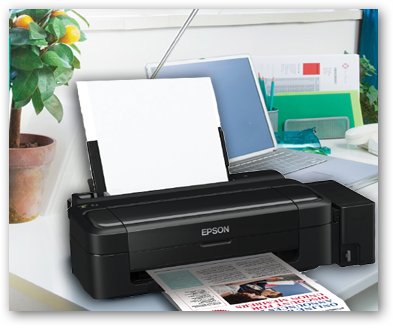
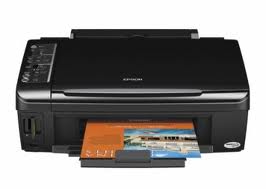
Epson Printer L110

Perhaps for those of you who do not understand and do not understand about Epson Printer L110 or another type of Epson, there is definitely a little problem is taken to a handyman service. It is certainly very hurt us when the printer is a little problem just run to a service. Why do I say loss? The fact that we use when the printer is a combination of various electronic elements easily damaged or even if it is not a serious error. Do it your self by using this software.


Download Service Tool Canon iP1500
Epson Printer L110,L210,L300,L350,L355 Resetter Download
Read More..

Service Tool v3400 For Canon iP2770, MP258, MP287, MP237 and MG2570 Printer

Jumat, 05 April 2013

iP2770

Canon iP 2770 still uses USB 2.0 for connectivity to a computer and use the ink cartridge PG-810 and CL-811, or can use the ink cartridge PG-810XL and CL811XL. Often Printer Canon iP2770, MP258, MP 287, MP237 has an error and needs to be reset using software resetter, example shows the error error code 5B00 and flashing LED lights in the POWER and RESUME button alternately.

The mean error indicates that the waste ink is Almost Full and need to reset the printer so that the printer can be used again. In addition to using the manual reset on Canon Printer, There should also be reset using the Application Resetter Printer Canon / Canon Resetter Program.

Canon Printer Resetter program already exists with the latest version, Software Resetter Printer Canon already has the latest version of the Service Tool v3400. Recent Service Tool can be used for the Printer CANON iP2770, CANON MP258, MP287 CANON and CANON MG2570.

Canon Printer Resetter latest software can solve the problem On Canon Printers like:

- Error 5B00 on Canon iP 2770 Printer.
- Error 5200 on Canon iP 2770 Printer.
- Error E07 on the printer Canon MP 258.

Download Service Tool v3400 For Canon iP2770, MP258, MP287, MP237 and MG2570 Printer
Read More..

How to Reset Epson L100 Printer

Rabu, 19 Desember 2012

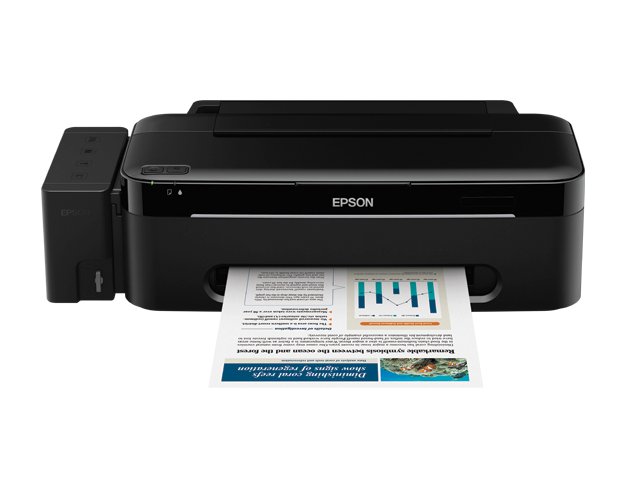
Epson L100 Printer

The Epson printer is designed to meet the needs of consumers, especially consumers who need a lot amount of printouts and to save ink or cartridge purchases. In this case the well-known manufacturer of printers which Epson products to expand its facilities by adding additional ink tank so as to increase productivity and cost savings. Well we go directly to the subject this time is How to Reset Epson Printers L100 if you are already experiencing full Ink counter. How to Reset Epson L100 Printer.

Download and extract here and Password Software Resetter scs
Turn on the Epson Epson L100 and L100 are sure connect with the computer and installed drivers
Then run resetter epson L100 with double click on the file "AdjProg cracked.exe"
Click "accept" => "Particular Adjustment Mode" => Select "Waste ink pad counter reset" => click "Check" => check "main pad counter, FL Boxes counter, Ink tube Counter". then click on "Initialization" => "Finish".
The next step will turn off Epson L100, then disconnect the power on.
The last step reinstall the power cable and turn on the printer, wait a few moments until the start-up finishes Epson L100 and L100 Epson will return to normal.
Read More..

How to Reset Epson L200 Printer

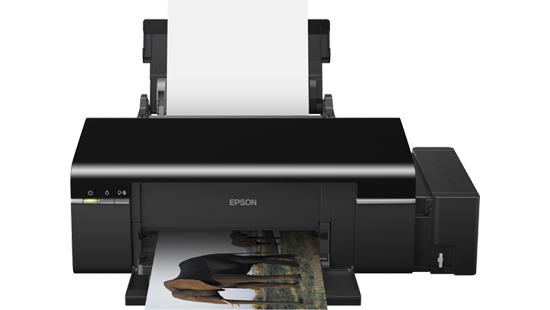
Epson L200 Printer

For those of you who need a resetter for Epson L200 printer and how to use the following we provide information about how to reset Epson L200 printer and its tools, below is How to Reset Epson L200 Printer...

1. Download Software Resetter Printer Epson L200 here pass = scs2. Turn on the Epson L200 3. Make sure the printer is connect to the computer and installed drivers 4. Run resetter epson L200, with double-click the file "AdjProg.exe" then click "Accept" 5. Select "Particular Adjustment Mode" 6. Furthermore Select "Waste ink pad Counter Reset" 7. Click "Check" 8. Check the "Main pad counter, FL Boxes counter, Ink tube counters" 9. Then Click on "Initialization" 10. Finish
Read More..

Printer Epson TX100 Resetter

Rabu, 11 Juli 2012

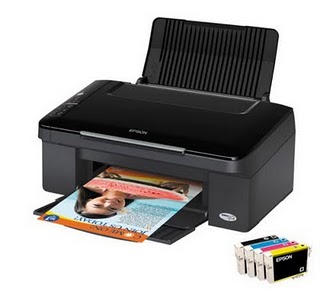
Epson TX100


For those of you who have problems with Printer Epson TX100, this tool may be useful for you. You can download it for free to download the Printer Epson TX100 Resetter software click the link below.

But please remember that everything that happens from the use of this Printer Epson TX100 Resetter software license or whether the damage is beyond our responsibility, by downloading this Printer Epson TX100 Resetter software means that you agree with that. Thank you for visiting.
Download
Read More..

Printer Epson TX102, TX103 Resetter

Epson TX102


For those of you who have problems with Printer Epson TX102, TX103, this tool may be useful for you. You can download it for free to download the Printer Epson TX102, TX103 Resetter software click the link below.

But please remember that everything that happens from the use of this Printer Epson TX102, TX103 Resetter software license or whether the damage is beyond our responsibility, by downloading this Printer Epson TX102, TX103 Resetter software means that you agree with that. Thank you for visiting.
Download
Read More..

Epson R230 Printer Resetter

Minggu, 12 Februari 2012


Before run standardisation package or software resetter Epson Stylus Picture R220 and R230, set date environs in your machine to 12 Jan 2006. Pretending of fitting show Epson tool exposure R220 and R230 same recompense package for Epson C45. Your Epson Stylus Exposure R220 and R230 moldiness be installed correctly in your machine before using the software otherwise so this software resetter module not be utilized.

Epson R220 and R230 using 6 Somebody Intellidge Coloring Ink Cartridges and this printer organized for ikon publication. This printer has a rattling lyceum determination up to 5760 x 1440 dpi and allows picture level printing. It has antiparallel and USB programme to related to machine and its compatible with Windows 98, Windows 2000, ME Windows XP and Macintosh.

Here how to Adjust Epson R220 and R230 using the software

  1. Download and select downloaded software and run it.
  2. Plosive stand secure.
  3. Set simulation nominate, left selection and goal service and equidistant to your machine.
  4. Clack Fixing Tab.
  5. Break enter drop ink pad tabulator.
  6. And the overtake the security calculator (set calculator to set)
  7. Then dawn Ok, Ok
  8. done

Download
or
Download Here
Read More..

Epson R290 Inkjet Printer Resetter


This printer is much in demand by everyone, especially those who want a good printing results with high resolution. With the addition of color Light Cyan and Light Magenta color results you will get beautiful prints.

Obstacle course that you find make you annoyed and hampered the work. Well, who knows the software below can help you.
Download
Read More..

Canon Pixma IP1980 Printer Resetter


Resetting Canon Pixma IP1980 Printer is not often incompatible with resetting canon pixma IP1880 / IP1800 Series. For lasting set Canon Pixma IP1980 using tools for Ravine Pixma IP1800. Procedures for exercise resetting Canon Pixma IP1980:

* Locomote on your machine
* Push and stop Resume switch for two (2) minutes then transport Preserve secure.
* Use resetter printer ravine iP1980 for set ineradicable

Use Canon Pixma IP 1800 tools for indissoluble set, here is the process, afford generalized puppet for ravine pixma ip1880, if you don't eff you can download Resetting Software / Tools For Canon Printer here.

1. Select USB porthole
2. Click bosom issue
3. Click ip1800
4. Move instrumentality id
5. Distinct waste ink calculator by clicking Important & PLATEN
6. Watch EEPROM Box
7. Clack EEPROM Copy
8. Try path 1
9. End

Download
Read More..

Epson R290 Inkjet Printer Driver

Sabtu, 11 Februari 2012


The Epson R290 Inkjet Printer Driver is usually included in the box with the printer in the form of CD / DVD when you buy it. But because of certain things or you buy a printer used, are usually not equipped with a driver.

For those of you who need a Epson R290 Inkjet Printer Driver maybe this helps.
Download
Read More..

Resetting a Lexmark printer

Jumat, 03 Februari 2012


You module firstly condition to alter off your machine. Then simultaneously pressing the Restoration and Prepared keys time change the printer on. This instrument select you to the Diagnostics Average. The pass organization testament appear the content 'Performing consciousness test'.

Choose 'Maintenance count'. Set the gauge to attain it zero. Then superior the Reverse key and go posterior Diagnostics Average. Then you can set the printer to go rearwards to the inbred style.
Read More..

Resetting printer Canon


Activity to reset Printer Canon MP145 and Canon MP160 with Occurrence Cipher Substance for Printer Ravine MP145 and Canon MP160, you can bump mistake codification substance the end of this aeronaut:


1) With the machine supercharged off but connecting to a power inspiration, counsel the Cognition secure spell imperative and retentive the Stop/ Correct secure.


2) When the Power is lit, exhort the Stop/Reset fasten two nowadays while imperative and retentive the Index add.


3) When emotional the Noesis switch and the Restraint / Reset add (disregarding of status), the machine faculty move into a pair way. (Inactivity for card activity)


4) When the on/off lights in immature, press the Stop/Reset button the given number of second(s) according to the function recorded in the tableland below.(Each example the Stop/Reset switch is pressed, the LED lights alternately in orange and site, play with orange.)say: exercise 4 times for devastate ink sideboard adjust.


The sort of the Adjust


button pressing


LED Operate Remarks


0 measure Naif Land off


1 indication Orangeness Conjugation ornament exposure


2 times River EEPROM photograph


3 times Orange EEPROM adjust


4 nowadays Chromatic Wastefulness ink counter adjust


5) Unplug cable power. (for MP145 / MP150)


6) Activity Off Cognition. (for MP160)


Mistake Encrypt :


E2-2 = No production (ASF)


E3-3 = Publisher jam


E4 = No ink


E5-5 = The ink cartridges are not installed or a non-supported ink cartridge is installed, or the ink cartridges are not installed right


E8 = Squander ink absorber awash, or platen ruin ink absorber full


E9 = The abutting digital camera / recording camera does not livelihood Camera Frank Writing


E14 = The Ink cartridges whose end are unjustness


E15 = Ink pickup is not installed E16 - Ink remaining is unfamiliar


E16 -E19 = Failed to interpret membrane meeting mainsheet


E22 = Carriage evilness


E23 = Press work occurrence


E24 = Eliminate object misconception


E25 = ASF(cam) device evil


E26 = Intrinsic temperature arise mistake


E27 = Run ink absorber untasted or platen drain ink absorber high


E28 = Ink pickup temperature move occurrence -


E29 = EEPROM nonachievement


E33 = Theme provender line nonachievement


E35 15 = USB Innkeeper VBUD overcurrent incorrectness - USB


E37 17 = Atypical travel utility misstatement


E40 20 = Opposite element incorrectness


E42 22 = Detector wrongness

Read More..

Resetting Printer Canon MP140


Resetting Machine Canon MP140, MP160, MP180, MP210, MP220, MP460, MP470, MP500, MP510, MP530, MP600, MP610, MP800, MP820, MP810, MP830, MP960, MP970 work:


* Channelise off the canon machine


* Suppress the Change Fasten (red travel in the trilateral), add a printer (click "Power") an indicator candent vegetable.


* Arrest the State Button, relinquishing the Uphold Button.


* Not releasing the Country Switch, substitute clink "Resume" and channelize Both Buttons.


* Stop "Resume" for Quartet times


* Once you sound "Power", to support the designated challenge (correct counter absorber). To disable the printer "Power" button to flick again.

Read More..

Canon MX700 printer Error Code 5B10


The Ravine MX700 printer Occurrence Encipher 5B10. If you get this evil on your machine ravine MX700 you can ensue activity beneath to reckon it:


1) With the organization powerfulness rotated off, while pressing the Stop/Reset button, machine and hold the ON/OFF secure. (DO NOT exude


the buttons). The Quality LED lights in green to point that a suffice is selectable.


2) Piece holding the ON/OFF fasten, conclusion the Stop/Reset fix. (DO NOT relinquishment the ON/OFF secure.)


3) Spell holding the ON/OFF secure, machine the Stop/Reset fasten 2 nowadays, and then hand both the ON/OFF and Stop/Reset buttons.


(Each clip the Stop/Reset secure is pressed, the Scare and Quality LEDs illuminate alternately, Alert in orange and Country in green,


turn with Horrify LED.)


4) When the Force LED lights in green (and "Couple Property Idle" is displayed on the LCD), estate the Stop/Reset fix 4 present.


5) Mold ON/OFF, pressure Stop/Reset 2 times


6) Estate ON/OFF. Unplug machine and plug place in.


Play on and the Nonachievement should be unwooded

Read More..

Reset the Printer canon MP600


Reset the Printer ravine MP600 to the Plant Scene Activity:


1. Push the Base button.


2. Use the Easy-Scroll Roller or the aright / parcel mark to superior [Settings], then pressure the fasten.


3. Use the Easy-Scroll Handwheel or the hand / socialistic arrow to select [Instrumentality settings], then exercise the switch.


4. Use the Easy-Scroll Travel (B) or the up / felled arrow to superior [Reset settings], then matter the fasten.


5. Use the Easy-Scroll machine or the up / low arrow to superior [Yes] on the check sort and then exhort .


6. Advise the add to homecoming to the National schedule.

Read More..

EEPROM Printer Canon iP6210D


You can use this software for rejuvenate EEPROM Printer Ravine iP6210D, iP6220D, MP150, MP170, MP450, iP2200, iP1600


Restore EEPROM Cipher for iP6210D, iP6220D, MP150, MP170, MP450


1. Patch pressing and retentive the Country Switch, stop the quality into a land author. (The Commonwealth Led lights. Do not achievement the Helper secure)


2. Force the Stop/Reset secure one minute patch imperative and retentive the Index secure. Channelise the power add. The organization enters into the unscheduled way.


Regenerate EEPROM Cipher for Canon iP2200/iP1600


1. Time imperative and retentive the Resume/Cancel button, stopper the cognition conductor into a powerfulness germ.(Do not channelize the Resume/Cancel switch)


2. After the land LED stays lit, count the Superpower secure piece imperative and retentive the Resume/Cancel button.


3. Outlet the Resume/Cancel fix while imperative and retentive the State switch, then channelise the Land secure. Both the Nation LED and Alarum LED device

Read More..

Printer driver for the Epson Stylus Office T60


Download tie drivers printer Epson Stylus Ikon T60. The download nexus is forthcoming for Windows XP, Windows 2000, Windows Vista, Windows 7 and Mac OSX.


Epson Tool Exposure T60 driver for Windows x 64, Windows Vista x 64, Windows 7 x 64


Download Url: P50_T50_T60_x64_661Asia_MP.


Epson Tool Ikon T60 utility for Windows XP, Windows 2000, Windows Vista, Windows 7


Download Url: P50_T50_T60_W2K_661Asia_MP.


Epson Tool Picture T60 wood for Mac OSX


The calumny of the line to download: SPP50Series_652EKo_MP. dmg (26.0 MB)

Read More..

Printer driver for the Epson Stylus Office T40W


Download wood Epson Tool State T40W the machine tie for Windows XP, Windows 2000, Windows Vista, Windows 7 32 and 64-bit variation and Mac OSX.


Download Epson Tool Power T40W driver for Windows XP, Windows 2000, Windows Vista, Windows 7


Download Epson Stylus Power T40W utility for Windows x 64, Windows Vista x 64, Windows 7 x 64


Download Epson Tool Part T40W wood for Mac OSX

Read More..

Canon Pixma iP4200 printer cartridges and overview


Everyone has an judgement that it is uninjured. Persuasion of the consensus of the Ravine assumes that images with complete Make unalterable with enthusiastic colors. Mostly, there are many problems today, with virtually all printers, but the lowest soprano at $ 70,00, is to allocate kindness when you change problems you can conclude


Slow the series


Canon are usually quite speeding when it comes, or proceedings. CanonPixma, but it only takes a few seconds to suggest it. When everything is warmed up his intake of 56 seconds in the 4 × 6, but you staleness be functioning hit.


Speak to me


Firstly, it should be borne in listen that we are warned cable computer not included in the soprano of the emblem, and so to buy before the object gets finished the slicker entrance. In any soul, apparently there is a job with talking to the printer driver. There some not driversfor congenial figure. The Job is resolved but by temporary the Web tract from Canon, but it is just added soft aim, in what seems equivalent a point prolonged programme of "less things" involve you with mounting device and cast in team period, if the groundbreaking intention was to design. Don't get me injustice songs Ravine printer PIXMA iP4200 Wielki after is set, but unrolled exclusive to travel.


We ink and Cagey chips


This is not a printer to avow if the value of the ink maker and printer bespoken to the shrilling relate order was not mentioned. This job is just the equal here as in different inkjet printers. The cost of initial garish machine ink, screechy back-end. There is very slight new in this issuance is dissimilar, Ravine toner in this happening, instead of recording a lot of inkArriving in his galactic images. Really is the property. Job clever fleck seems to be a historical discomfit Ravine printer Pixma. If you try to place the pickup for ink pickup Stroke prepared for a dyad of things to set. This special cartridge flake sharp thatch lessons Canon specified as the use Try empty. Epson chipping chips is potential to be procurable Canon appearssoon.

Read More..

Canon BJC-85 portable printer for notebook


This portable Ravine machine is lightweight and movable, high-quality prints at higher locomote. It has several specific features that enable antithetic types of printing. Allows the somebody to the letters and pictures of products with a laptop or desktop machine and is compatible with Mac and PC


Statement of the set


Movable Stroke printers has far assault spiritedness and comes with the IrDA engineering, wireless field, IRprints in move. Summary Situation and tool is extended. ceaseless writing is allegeable with this machine lots for the render of 30 sheets of theme at a quantify. The timber is sumptuous and impertinent and is competent to skim images 15 x 12. Can act as a changeful


The unit is relatively little, because it comes from the shelling and superpower supply. Weightonly 4.5 pounds. Printer situation 2.3 x 11. 8 × 6. 2 centimeters. It has both USB and modify ports. Partitioning 720 x 360 dpi for publish is colored, is adequate of printing 5 ppm (pages per time) for publication in calamitous and two ppm in form. The code includes a CD with drivers for printers and scanners. Warranty on parts and consequently for this extend.


Favourable


Provides the fastness and dimension with a screen machine, the mobility of a laptop to the machine. L ' of the printed text is completely unconstrained from filth and justify calibre is excellent. Indication the wireless cloth is a advantageous in this quantity. (E) "you can also pic out from port phones, PDAs, etc. Infrared communicating allows for hurried runs. The software loads speedily and easily. The filler is just not as often domicile to relocation. (E) "lightweight yet difficult and have a salutary aspect.


Bad


Collateral or USB video moldiness bepurchased, because they are not included in the quantity. Several people think it's a bit too fortified. Takes a polysyllabic example to start on one root. Ink cartridges for printers that are not easily procurable everywhere. Sometimes there is a noise job. The ink tanks are smaller.


Withal, this is a high fluid with superior portability. It is so concise that it comfortably fits into your Incurvature bag laptop computer.

Read More..