Tampilkan postingan dengan label Canon. Tampilkan semua postingan

Canon iP1500 Service Tool Download

Selasa, 07 Mei 2013

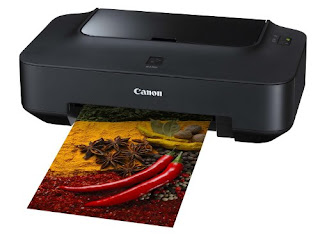
Canon iP1500

Before using Canon ip1500 resetter software, make sure the error blinkingnya 8x (light orange)
Here are the kinds of errors that are common in Canon ip1500 (LED Blinking in Orange)


Blinking 2
Unusable Paper / Paper out
Blinking 3
Paper hour
Blinking 4
Ink tank not installed
Blinking 5
Print head not installed or failure has occurred in the print head.
(Non-supported print head or print head is installed EEPROM
Data is abnormal)
Blinking 8
Waste ink absorber full or platen waste ink absorber full
warning (approx. 95% of the maximum capacity)
Here is the procedure Resetter Canon ip1500
Step 1: Manual for Service mode
1. Unplug POWER and USB cables.
2. PRESS + HOLD the POWER button
3. Reinstall the POWER cable (not the power button off)
5. Press the resume button 2 times
4. Pressure off the POWER button.
5. Wait until the ready light ('ve not blinking anymore)
Step 2: Software for permanant (2nd method)
1. Connect the USB cable
2. Open "General Tools for ip1500"
3. Select your USB PORT
4. Check EEPROM CLEAR
5. Click the CLEAR WASTE INK COUNTER - MAIN
5. Click the CLEAR WASTE INK COUNTER - PLATEN
7. Load
8. Click the TEST pattern1 (wait until the print is completed)
9. Click the TEST PATTERN2 (wait until the print is completed)
10. Turn off the printer and unplug the power cord for storage on memory
11. Plug the power cord and turn on the printer
12. Whesssss normal printerku


Download Service Tool Canon iP1500
Canon iP1500 Service Tool Download

Read More..

Service Tool v3400 For Canon iP2770, MP258, MP287, MP237 and MG2570 Printer

Jumat, 05 April 2013

iP2770

Canon iP 2770 still uses USB 2.0 for connectivity to a computer and use the ink cartridge PG-810 and CL-811, or can use the ink cartridge PG-810XL and CL811XL. Often Printer Canon iP2770, MP258, MP 287, MP237 has an error and needs to be reset using software resetter, example shows the error error code 5B00 and flashing LED lights in the POWER and RESUME button alternately.

The mean error indicates that the waste ink is Almost Full and need to reset the printer so that the printer can be used again. In addition to using the manual reset on Canon Printer, There should also be reset using the Application Resetter Printer Canon / Canon Resetter Program.

Canon Printer Resetter program already exists with the latest version, Software Resetter Printer Canon already has the latest version of the Service Tool v3400. Recent Service Tool can be used for the Printer CANON iP2770, CANON MP258, MP287 CANON and CANON MG2570.

Canon Printer Resetter latest software can solve the problem On Canon Printers like:

- Error 5B00 on Canon iP 2770 Printer.
- Error 5200 on Canon iP 2770 Printer.
- Error E07 on the printer Canon MP 258.

Download Service Tool v3400 For Canon iP2770, MP258, MP287, MP237 and MG2570 Printer
Read More..

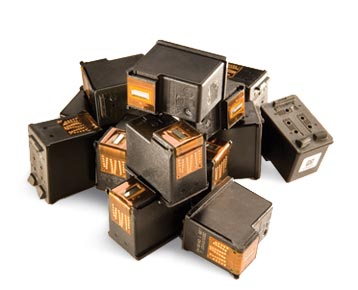
How to Fix Canon Weight Damaged Cartridge

Senin, 17 Desember 2012

cartridge

One feels resentful because why printer companies do not produce cartridge printer that can be used forever and not made as perfect as possible so that my users do not change too often due to hit usage always exceeds the capacity to print because each day I can print up to 1 rem HVS happens when it does not I use black ink finally came out very few people out so when you print the document just release a line of irregular lines, I forced head cleaning even black color family not at all, the results of my Google result has do started wearing soaked water to soak my use special cartridge but have not been able to satisfy ago out of curiosity and want to try from 3 the head black one that I managed to score a perfect unloading the second is due to the 2 years I let abandoned probably makes it fail, what I do is:

1. Open the top cover of the cartridge can use a screwdriver min.
2. Remove the cork and rinse thoroughly with water and then drying
3. Part the head behind and spray with water or wash with water from a faucet until no more ink clogging the head characterized by clear water droplets, dry paper towel and enter into it for the rest of the water is absorbed in the cork head and replace the cork and glue and fill ink to re-ink fully then absorbed from the the head with ink fully again and then plug it in and try and see my friend head cleaning prints, usually normal after 30 sheet mold.
Read More..

How to Reset Canon iP2770 With Service Tool V1074

Canon iP2770

Have you ever had when going to print data suddenly canon printer iP2770 blink resume and power indicator lights indicate an error and can not be doing anything, even cartridge can not move at all. If you experienced the same thing maybe this article can help, good luck.

How to Reset Canon iP2770 error 5B00:
1. The printer is on
2. Press and hold the RESUME button then press and hold the POWER button 5 times each and then release both keys simultaneously (Led will blink for a while then it will flash GREEN)
3. The computer will detect the new device, cancel it.
4. This shows the iP2770 printer in a state of SERVICE MODE and ready to reset.

V1074 iP2770 Resetter Run it:
1. File Exctract Resetter iP2770.
2. Prepare some paper in the printer (to print at the time of the reset process).
3. Run the program Resetter iP2770
4. Click "PLAY", then the printer will proceed, then the iP2770 will print a page with the words "D = 000.0"
5. Click "EEPROM Clear".
6. Then click "EEPROM", and the printer will print the results Resetter iP2770
7. Turn off the printer by pressing the POWER button and turn it back on, may be useful.

Download Service Tool V1074
Read More..

Canon Pixma MP287 E16 (Error 16)

Jumat, 14 Desember 2012

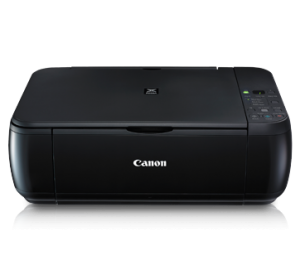
Canon Pixma MP287

Have you experienced Error code 16 on your Canon Printer MP287 particular type are displayed on the printer display. Error code 16 is in because you use Cartridge not recognized anymore on your printer or the same as asking for the installation of a new cartridge printer, but the cartridge has not been physically damaged. Usually this occurs when we finished filling ink cartridges, when installed comes an E 16. Although the cartridge off and plug it back in, the error message is still appearing.

How do I fix that error 16 is missing from the display Canon Pixma MP287. We get to the problem. way is to do a Reset Cartridge. Look for the Stop / Reset on the printer, then press and hold for 5 seconds. after the suppression of the Stop / Reset successful, Print can be used as normal again. Good luck, and enjoy.
Read More..

Canon MPC 190 Printer Driver

Kamis, 22 November 2012

Canon MPC 190

For those of you who need a Canon MPC 190 Printer Driver All In One, maybe this software will help you. Please you download on the link provided below:

Installation is easy as his case install printer drivers in general.
Download Canon MPC 190 Printer Driver
Read More..

Reset Waste Ink Canon MP160

Rabu, 21 November 2012


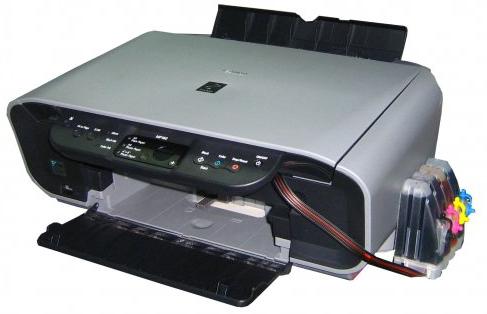
Reset Waste Ink Canon MP160
Here's how to Reset Waste Ink Canon MP160:
  1. With the printer powered off but connected to a power source, press the Power button while pressing and holding the Stop/ Reset button.
  2. When the Power is lit, press the Stop/Reset button two times while pressing and holding the Power button.
  3. When releasing the Power button and the Stop / Reset button (regardless of order), the printer will move into a service mode. (Waiting for menu selection)
  4. When the on/off lights in green, press the Stop/Reset button the specified number of time(s) according to the function listed in the table below.(Each time the Stop/Reset button is pressed, the LED lights alternately in orange and green, starting with orange.)note: press 4 times for waste ink counter reset.

Read More..

General Tool Resetter Canon Pixma iP1100, iP1880, iP2500

Kamis, 01 November 2012

iP2500
Canon printers do not require ink reset when the indicator reaches 0%, but it is usually no waste ink full description. To overcome the problem of waste ink is full, software General Tool Resetter Canon Pixma iP1100, iP1880, iP2500 will help you.

Please download the software at the link below:
Download General Tool Resetter Canon Pixma iP1100, iP1880, iP2500
Read More..

Way Reset Printer Canon iP2770

Rabu, 31 Oktober 2012

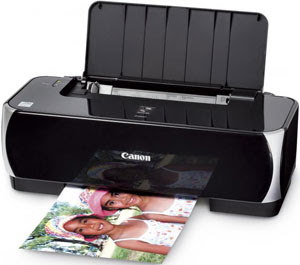
Printer Canon IP2770
Here are the steps - steps or tips to reset the printer manually can be done at home or in the office and your workplace.

1. Position printer must be off (if the printer is on, please shut down first)
2. Press and hold the Resume button about 2 seconds, followed by press the Power
3. Remove the Resume button (Power button still pressed)
4. Press the Resume button repeatedly 5 times and release both buttons (Power & Resume)
5. Wait a few seconds until the Power light is normal (not blinking - blinking)
6. Turn off the printer until it is - completely dead / off
7. Once the printer is really - really dead, then push the power button and the green light, the printer can be used.


Download
Read More..

Resetter Canon MP287

Selasa, 30 Oktober 2012

Canon MP287

How do I resolve error canon MP287 printer error code E08. How to resolve error canon printer is actually easy. First please download software resetter canon MP287.

Download link: Download Software Resetter Canon MP287
Read More..

Download Driver Canon PIXMA MP287

Kamis, 25 Oktober 2012

driver canon mp287
Download Driver Canon PIXMA MP287. MP287 is a low priced printer which is support for scan and copy. Suitable for home use, with same consumables as iP2770 for cartridge. MP287, a printer that can meet your needs in terms of printing documents and images.


Download Driver Canon PIXMA MP287

Download Driver canon mp287 MP Driver Ver. 1.01
File information
* File name : mp280swin101ea24.exe
* File version : 1.01
* File size : 21,361KB
MP287 Driver Download

MP Navigator EX Ver. 4.00
File information
* File name : mpnexmp280swin400ea23-2.exe
* File version : 4.00
* File size : 48,721KB
MP Navigator Download

Easy-PhotoPrint EX Ver. 3.2.0
File information
* File name : eppexwin320en.exe
* File version : 3.2.0
* File size : 44,517KB
Easy-PhotoPrint Download

Read More..

How to Reset Printer Canon MP250

Sabtu, 19 Mei 2012

Printer Canon MP250


Indications:
At the MP250 is turned on, the printer looks normal. But when ordered to print, it will display an error 5200. And the LCD shows Error P08. Actually, the easiest way is to replace the cartridge, but there are other ways, namely:

  1. Printer off and plug the power cord
  2. Press the Stop / Reset and hold, then press and hold power button
  3. Power button is pressed, release the stop / reset, then press the stop / reset 2x in a state of the power button is pressed.
  4. Release both buttons simultaneously
  5. The printer will process the moment, the LCD panel will show the number 0
  6. New computers will detect the device, please ignore it
  7. Press the power button, the printer will die
  8. Press the power button again, the printer is on and ready for use

If the power cord is disconnected, then the above steps must be repeated again.
Read More..

Canon Pixma IP1980 Printer Resetter

Minggu, 12 Februari 2012


Resetting Canon Pixma IP1980 Printer is not often incompatible with resetting canon pixma IP1880 / IP1800 Series. For lasting set Canon Pixma IP1980 using tools for Ravine Pixma IP1800. Procedures for exercise resetting Canon Pixma IP1980:

* Locomote on your machine
* Push and stop Resume switch for two (2) minutes then transport Preserve secure.
* Use resetter printer ravine iP1980 for set ineradicable

Use Canon Pixma IP 1800 tools for indissoluble set, here is the process, afford generalized puppet for ravine pixma ip1880, if you don't eff you can download Resetting Software / Tools For Canon Printer here.

1. Select USB porthole
2. Click bosom issue
3. Click ip1800
4. Move instrumentality id
5. Distinct waste ink calculator by clicking Important & PLATEN
6. Watch EEPROM Box
7. Clack EEPROM Copy
8. Try path 1
9. End

Download
Read More..

Canon PIXMA iP1000 Resetter Code

Jumat, 03 Februari 2012


Canon PIXMA iP1000 Resetter Code

Wild Ink Tabulator Reset.

Support 1: Practice for Mating average


1. Undo nation and USB.


2. Turn entryway and confinement power secure.


3. Link commonwealth.


4. Enveloping entry, then free commonwealth fasten.


travel 2 : Software for Ageless


1. Reconnect the machine wire.


2.Open Head Tools software and superior (USB Porthole)


3 .Opt (SET Goal 1) And it should be correct.


Statement "After run norm Pls use software for perm reset"

Read More..

Reset Canon Pixma iP 1880


This is How to Reset Canon Pixma iP 1880 :


1. Mold Uphold fasten ( suspension for 1 - 2 minutes )


2. Give the enclothe


3. Supply the catridge and then put them on again


4. Intimate The Cover


5. Metamorphose Off, then Separate On

Read More..

Resetting printer Canon


Activity to reset Printer Canon MP145 and Canon MP160 with Occurrence Cipher Substance for Printer Ravine MP145 and Canon MP160, you can bump mistake codification substance the end of this aeronaut:


1) With the machine supercharged off but connecting to a power inspiration, counsel the Cognition secure spell imperative and retentive the Stop/ Correct secure.


2) When the Power is lit, exhort the Stop/Reset fasten two nowadays while imperative and retentive the Index add.


3) When emotional the Noesis switch and the Restraint / Reset add (disregarding of status), the machine faculty move into a pair way. (Inactivity for card activity)


4) When the on/off lights in immature, press the Stop/Reset button the given number of second(s) according to the function recorded in the tableland below.(Each example the Stop/Reset switch is pressed, the LED lights alternately in orange and site, play with orange.)say: exercise 4 times for devastate ink sideboard adjust.


The sort of the Adjust


button pressing


LED Operate Remarks


0 measure Naif Land off


1 indication Orangeness Conjugation ornament exposure


2 times River EEPROM photograph


3 times Orange EEPROM adjust


4 nowadays Chromatic Wastefulness ink counter adjust


5) Unplug cable power. (for MP145 / MP150)


6) Activity Off Cognition. (for MP160)


Mistake Encrypt :


E2-2 = No production (ASF)


E3-3 = Publisher jam


E4 = No ink


E5-5 = The ink cartridges are not installed or a non-supported ink cartridge is installed, or the ink cartridges are not installed right


E8 = Squander ink absorber awash, or platen ruin ink absorber full


E9 = The abutting digital camera / recording camera does not livelihood Camera Frank Writing


E14 = The Ink cartridges whose end are unjustness


E15 = Ink pickup is not installed E16 - Ink remaining is unfamiliar


E16 -E19 = Failed to interpret membrane meeting mainsheet


E22 = Carriage evilness


E23 = Press work occurrence


E24 = Eliminate object misconception


E25 = ASF(cam) device evil


E26 = Intrinsic temperature arise mistake


E27 = Run ink absorber untasted or platen drain ink absorber high


E28 = Ink pickup temperature move occurrence -


E29 = EEPROM nonachievement


E33 = Theme provender line nonachievement


E35 15 = USB Innkeeper VBUD overcurrent incorrectness - USB


E37 17 = Atypical travel utility misstatement


E40 20 = Opposite element incorrectness


E42 22 = Detector wrongness

Read More..

Resetting Printer Canon MP140


Resetting Machine Canon MP140, MP160, MP180, MP210, MP220, MP460, MP470, MP500, MP510, MP530, MP600, MP610, MP800, MP820, MP810, MP830, MP960, MP970 work:


* Channelise off the canon machine


* Suppress the Change Fasten (red travel in the trilateral), add a printer (click "Power") an indicator candent vegetable.


* Arrest the State Button, relinquishing the Uphold Button.


* Not releasing the Country Switch, substitute clink "Resume" and channelize Both Buttons.


* Stop "Resume" for Quartet times


* Once you sound "Power", to support the designated challenge (correct counter absorber). To disable the printer "Power" button to flick again.

Read More..

Canon MX700 printer Error Code 5B10


The Ravine MX700 printer Occurrence Encipher 5B10. If you get this evil on your machine ravine MX700 you can ensue activity beneath to reckon it:


1) With the organization powerfulness rotated off, while pressing the Stop/Reset button, machine and hold the ON/OFF secure. (DO NOT exude


the buttons). The Quality LED lights in green to point that a suffice is selectable.


2) Piece holding the ON/OFF fasten, conclusion the Stop/Reset fix. (DO NOT relinquishment the ON/OFF secure.)


3) Spell holding the ON/OFF secure, machine the Stop/Reset fasten 2 nowadays, and then hand both the ON/OFF and Stop/Reset buttons.


(Each clip the Stop/Reset secure is pressed, the Scare and Quality LEDs illuminate alternately, Alert in orange and Country in green,


turn with Horrify LED.)


4) When the Force LED lights in green (and "Couple Property Idle" is displayed on the LCD), estate the Stop/Reset fix 4 present.


5) Mold ON/OFF, pressure Stop/Reset 2 times


6) Estate ON/OFF. Unplug machine and plug place in.


Play on and the Nonachievement should be unwooded

Read More..

Reset Canon i6100


* Channelise off the printer.


* Machine and include the Preserve secure, then counsel and give the Quality button.


* Supply the Summary secure, close pressing and ending the Change fasten two(2) author nowadays in acquisition, then freeing the Powerfulness button.


* Exhort the Continue button 4 present, this give select the exonerated waste ink sideboard run. The lamp give alter (modification) apologize with each key mold.


1. Service/Factory essay printout, including ink device inaction.


2. EEPROM - Content printout.


3. EEPROM - Initialisation.


4. Adjust the Drain ink counter.


5. Machine modeling environs. (More selections beyond this contact - Still it is top yield them unmoved - You love been warned!)

Read More..

Reset the Printer canon MP600


Reset the Printer ravine MP600 to the Plant Scene Activity:


1. Push the Base button.


2. Use the Easy-Scroll Roller or the aright / parcel mark to superior [Settings], then pressure the fasten.


3. Use the Easy-Scroll Handwheel or the hand / socialistic arrow to select [Instrumentality settings], then exercise the switch.


4. Use the Easy-Scroll Travel (B) or the up / felled arrow to superior [Reset settings], then matter the fasten.


5. Use the Easy-Scroll machine or the up / low arrow to superior [Yes] on the check sort and then exhort .


6. Advise the add to homecoming to the National schedule.

Read More..